使用Powershell卸载windows默认程序
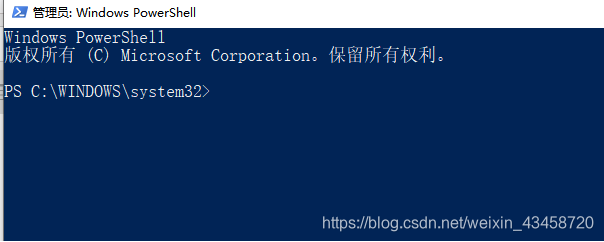
管理员身份打开Powershell
输入 Win 键打开开始菜单,输入Powershell,然后选择管理员身份运行。
显示:左键单击Windows Powershell(管理员)
寻找你要卸载的程序
(这里以TranslatorforMicrosoftEdge为例)
你可能记不住程序的全名,使用*进行代替,进行模糊搜索,其实除了程序开发者外的其他人,或许没有人能够记住程序的全名了吧!!
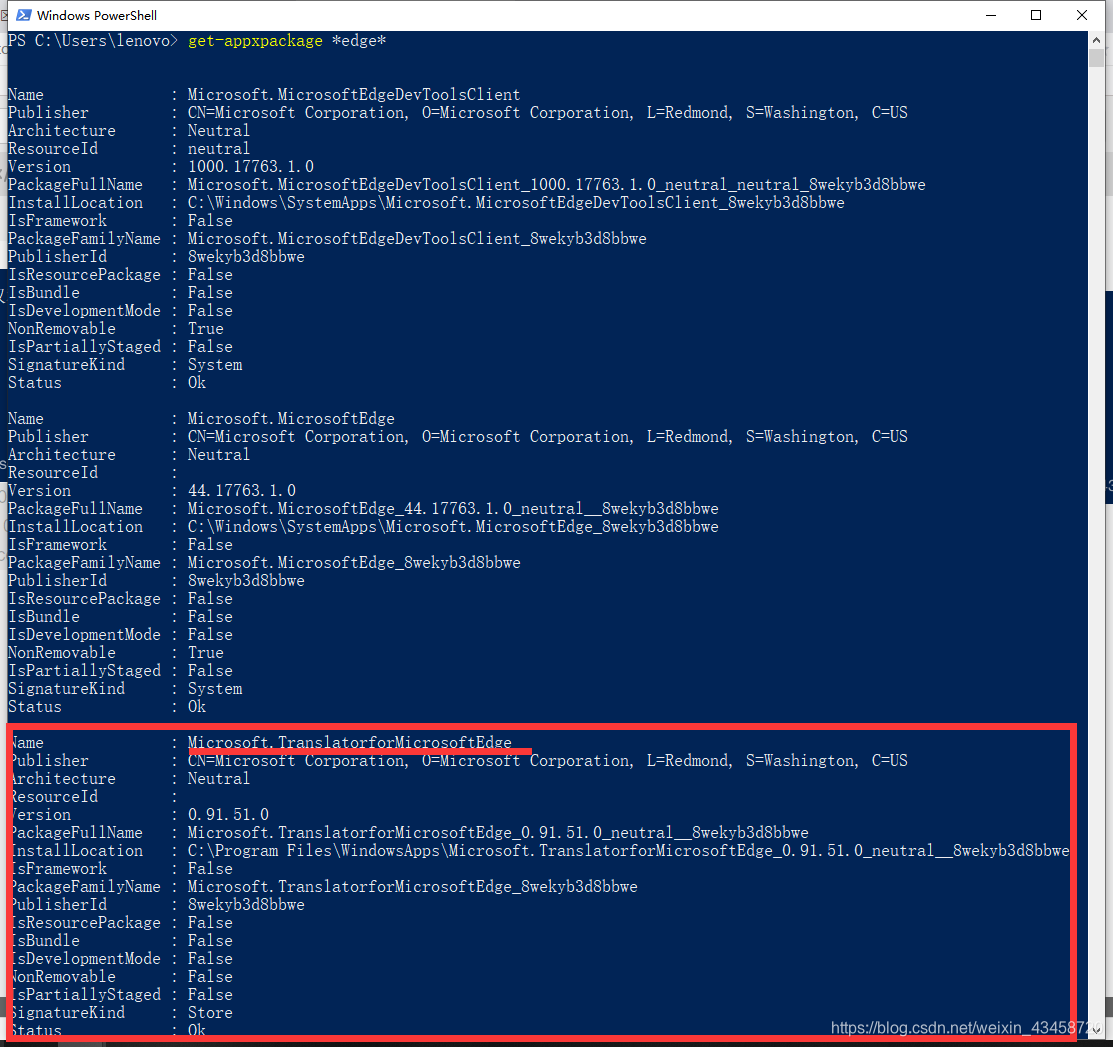
使用get-appxpackage edge命令进行模糊搜索(你想要卸载什么程序就将edge换为什么程序) PS:get-appxpackage [你要卸载的程序]
复制PackageFullName(包全名)备用在这个例子中即
Microsoft.TranslatorforMicrosoftEdge_0.91.51.0_neutral_8wekyb3d8bbwe如图
使用命令卸载程序
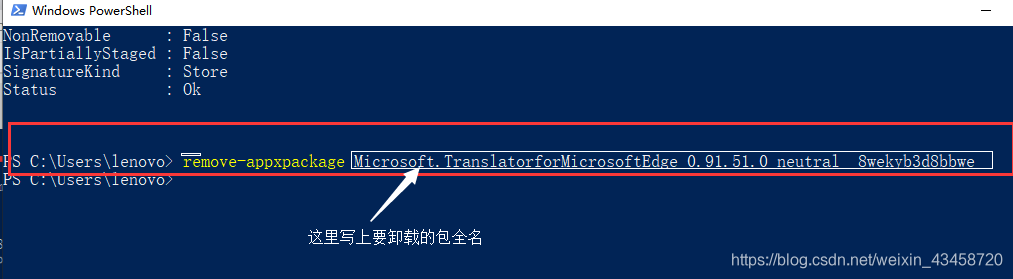
1、remove-appxpackage [你要卸载的包全名]
2、打回车Enter
3、程序自动卸载
使用Powershell卸载windows默认程序
https://blog.wryhf.com/archives/shi-yong-powershellxie-zai-windowsmo-ren-cheng-xu